
Download Scribus Portable – Free Desktop Publishing Tool for On-the-Go Design
Overview
Scribus Portable is a free and open-source desktop publishing application designed for users who require full-featured design capabilities without the constraints of installation. Built to run directly from a USB flash drive, it enables seamless access to professional-grade tools across multiple devices, making it ideal for designers, educators, and content creators who frequently switch between computers. The application addresses the common challenge of inconsistent software availability in shared or public computing environments, ensuring that users can maintain workflow continuity regardless of their location or device.
Target users include freelance graphic designers, academic staff preparing printed materials, and students working on collaborative projects. The portability aspect removes dependency on specific machines or IT-administered software, offering an efficient solution for those who value flexibility and autonomy. While the developer did not provide additional technical details about the project’s origin or team structure, the open-source nature of Scribus suggests community-driven development with transparent code and active user contributions.
Real-world use cases include creating brochures, newsletters, posters, and multi-page documents in environments where installing software is restricted. Its presence in the digital ecosystem highlights the growing demand for lightweight, versatile, and secure tools that support productivity without compromising on functionality. By eliminating installation barriers, Scribus Portable strengthens the accessibility of professional design tools in educational, corporate, and personal settings.
Key Features & Functionality
- Portable Operation: Run Scribus directly from a USB drive without installation. This allows users to carry their entire design environment and project files across different computers, ideal for professionals working in shared or restricted environments.
- Full Feature Set: Maintains nearly all functionalities of the standard Scribus application, including support for CMYK and RGB color models, advanced typography controls, PDF export, and multi-page layout tools.
- Open-Source Foundation: As an open-source project, users have the freedom to inspect, modify, and redistribute the software. This transparency fosters trust, encourages community innovation, and ensures long-term sustainability.
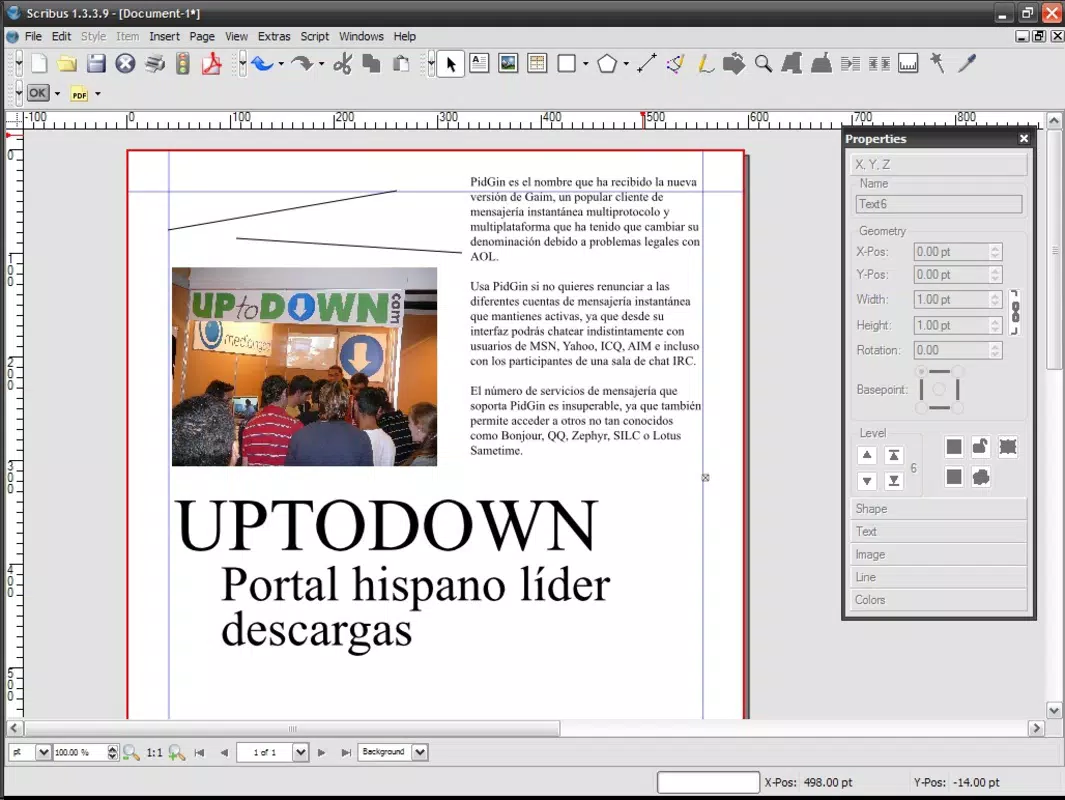
- Intuitive Interface: Features a user-friendly layout with customizable toolbars and panels, enabling both beginners and experienced designers to navigate workflows efficiently and focus on creative output.
- Cross-Platform Support: Compatible with Windows, macOS, and Linux systems, allowing consistent performance and file compatibility regardless of the operating system in use.
For example, a university lecturer can use Scribus Portable to prepare course materials on a campus computer, save the project on the USB drive, and continue editing on a personal laptop at home. Similarly, a freelance designer can deliver client work from a client’s machine without requiring software installation, maintaining data privacy and workflow integrity.
Interface, UX & Performance
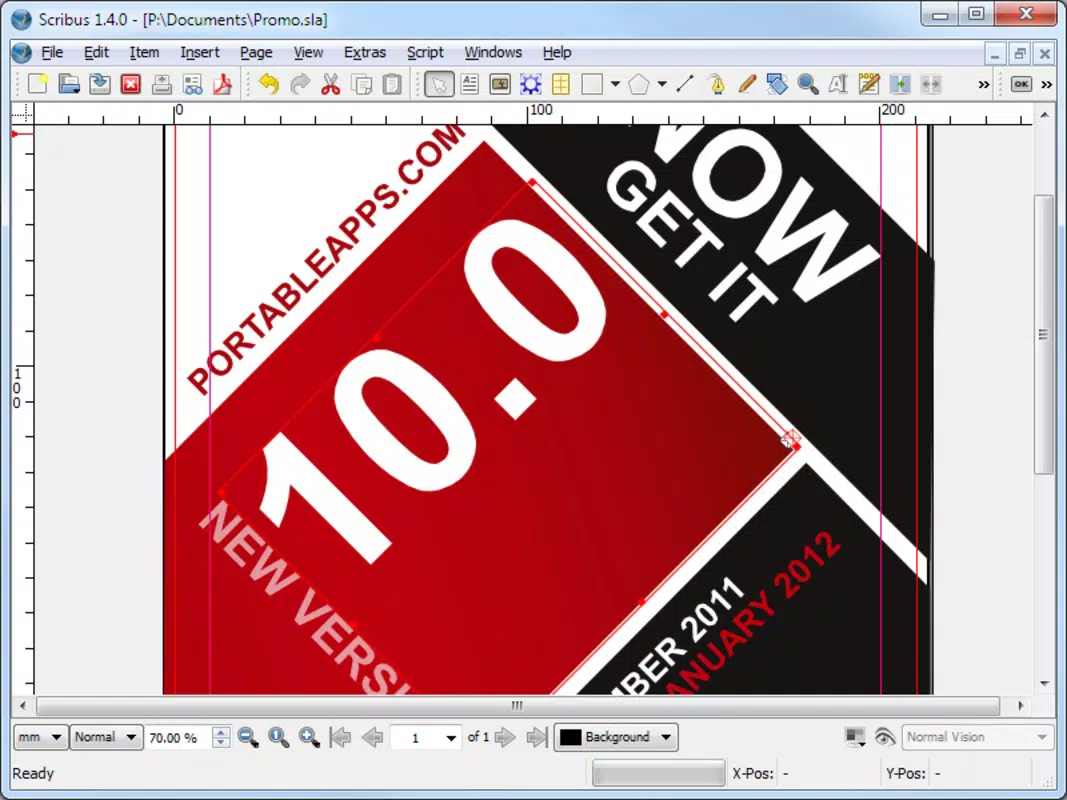
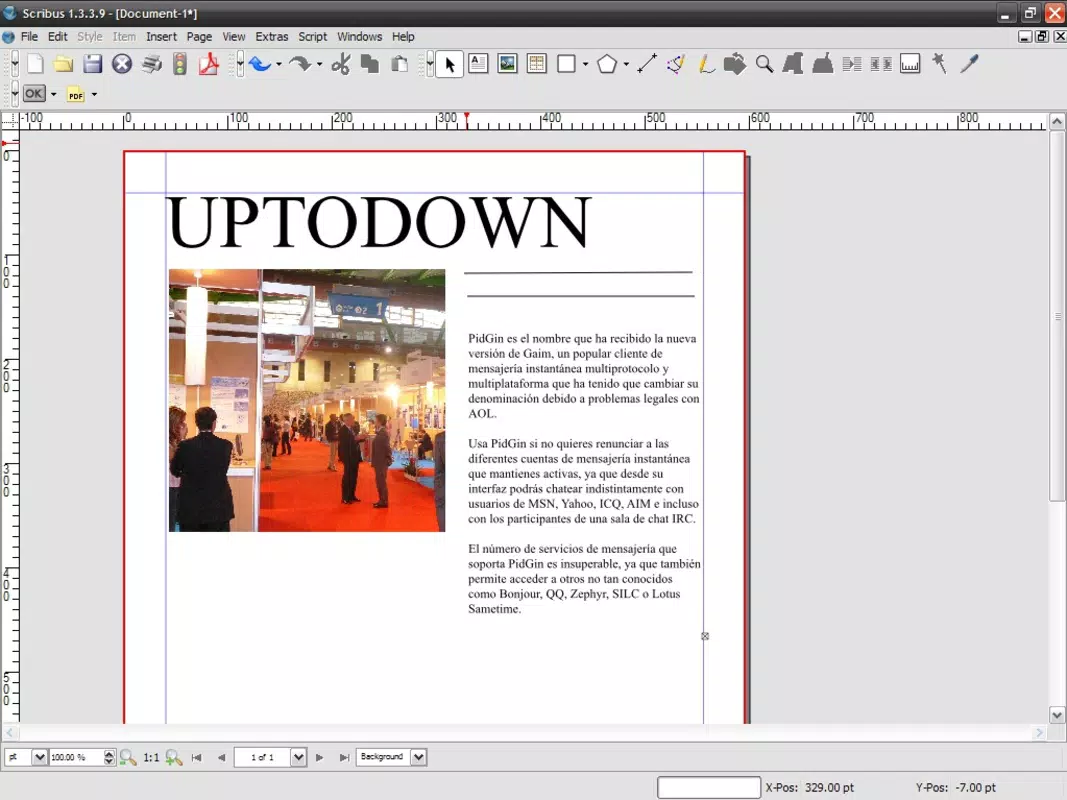
The interface of Scribus Portable follows a traditional desktop publishing layout, with dockable panels for tools, color pickers, and object properties. The visual style is clean and functional, prioritizing usability over aesthetic flair. Navigation is consistent across platforms, with menu bars, toolbars, and context-sensitive options arranged logically to support efficient workflow execution.
Users report smooth interaction with document elements such as text frames, images, and vector shapes. The responsiveness of the interface remains stable during complex operations like multi-page layout adjustments and image placement. Although the developer did not list formal performance metrics, the application performs reliably on mid-range devices, including laptops and desktops, without noticeable lag during typical design tasks.
Stability is maintained through consistent file handling and error recovery mechanisms. The application does not require background processes or system-level permissions, reducing the risk of conflicts with other software. While the developer did not specify minimum OS requirements or compatibility details, the cross-platform nature suggests broad adaptability across modern computing environments.
Platform Compatibility & Technical Requirements
Scribus Portable is designed to operate on multiple operating systems, including Windows, macOS, and Linux. The application runs directly from a USB flash drive, eliminating the need for installation or system-level configuration. This makes it particularly useful in environments where software installation is restricted or prohibited.
The file size of the portable package is not specified in the provided information. However, given its feature-rich nature and inclusion of core design tools, it is expected to require a moderate amount of storage space. Specific hardware or software requirements were not listed by the developer.
Compatibility with different device categories is assumed to be broad due to the cross-platform foundation. Users can expect consistent behavior across various screen resolutions and input methods, including mouse, trackpad, and touch-enabled displays. The developer did not disclose minimum OS versions or processor requirements.
Pros and Cons
Pros
- Runs directly from a USB drive without installation.
- Retains full functionality of the standard Scribus application.
- Open-source and free to use, modify, and distribute.
- Compatible with Windows, macOS, and Linux systems.
- Intuitive interface suitable for both beginners and professionals.
Cons
- Specific file size and system requirements were not disclosed.
- Performance may vary on older or low-end devices.
- Limited official support channels due to community-driven development.
- May require manual configuration on some systems.
- No built-in cloud sync or automatic update mechanism.
FAQ
Is Scribus Portable safe to use?
Yes, Scribus Portable is a free and open-source application. As the source code is publicly available, it can be audited for security. Users should download it from trusted sources to ensure integrity.
Can I use Scribus Portable on any computer?
Yes, it is designed to run on Windows, macOS, and Linux systems. However, compatibility may depend on the specific system configuration and available resources.
Does Scribus Portable require an internet connection?
No, the application operates offline. Internet access is only needed for downloading updates or accessing external resources.
How do I update Scribus Portable?
Updates are typically released by the development team. Users should check the official website or repository for the latest version and manually replace the portable package.
Can I edit the same project on different devices?
Yes, since the application runs from a USB drive, you can carry your project files and continue editing on any compatible computer without data loss or compatibility issues.
Final Thoughts
Scribus Portable stands out as a powerful, flexible, and secure tool for anyone needing professional desktop publishing capabilities without installation constraints. Its ability to function across multiple platforms and devices makes it an invaluable asset for mobile professionals, educators, and students. The open-source model ensures transparency, sustainability, and user empowerment.
While it lacks automated updates and detailed technical specifications, its core strengths—portability, full functionality, and cross-platform compatibility—deliver significant value. For users seeking a reliable, free, and install-free design solution, Scribus Portable offers a compelling alternative to traditional software.
Download Scribus Portable now


